



Smart Table Booking
Table reservations made simple with Joomla
Accept table reservations directly through your Joomla website, manage opening hours and capacities, and let suitable tables be assigned automatically. Smart Table Booking combines online booking, table management and clear reservation planning in one Joomla component.
€29 per year
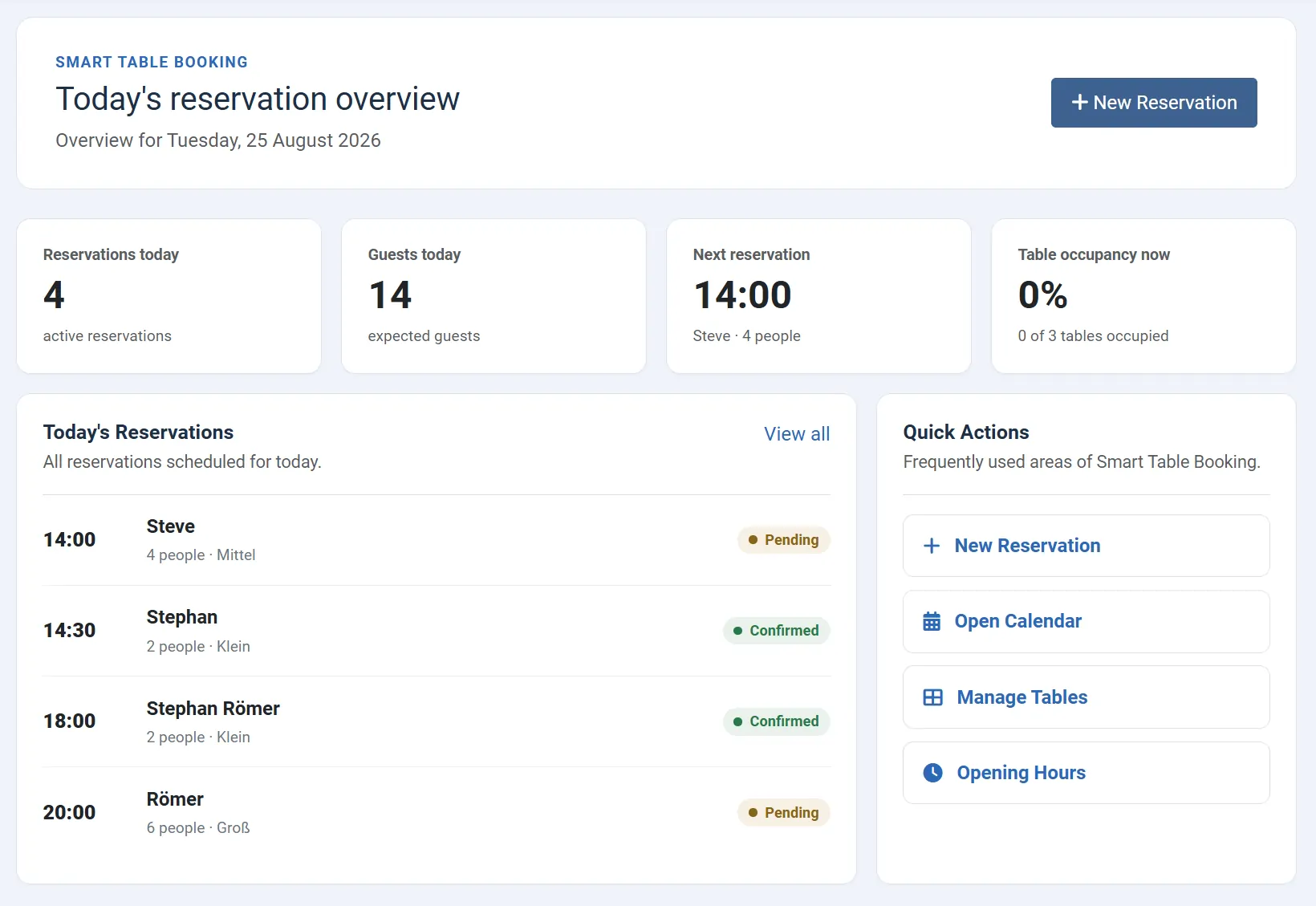
Book online. Manage with ease.
Smart Table Booking brings table reservations directly into your Joomla website.
Reservation requests by phone, email or contact form quickly become difficult to manage. At the same time, you need to check whether the restaurant is open, whether a suitable table is available and whether the requested time can still be accepted.
Smart Table Booking performs these checks automatically. Guests choose the date, time and number of people directly on your website. The extension checks available capacities and can automatically assign a suitable table.
In the Joomla backend, you keep a clear overview of reservations, opening hours and tables – without an external booking platform or separate third-party system.
For hospitality businesses offering online reservations
Smart Table Booking is suitable wherever guests reserve fixed times and available tables should be taken into account automatically.
Restaurants
Accept reservations online and automatically assign guests to suitable tables.
Cafés
Manage reservations for different times of day and individual opening periods.
Bars
Handle opening hours that extend beyond midnight without assigning reservations to the wrong service day.
Bistros
Keep reservations and available capacity under control, even with a limited number of tables.
Hotel restaurants
Add integrated table reservations to your existing Joomla website.
Small hospitality businesses
Use a compact reservation solution without an external booking portal or additional platform.
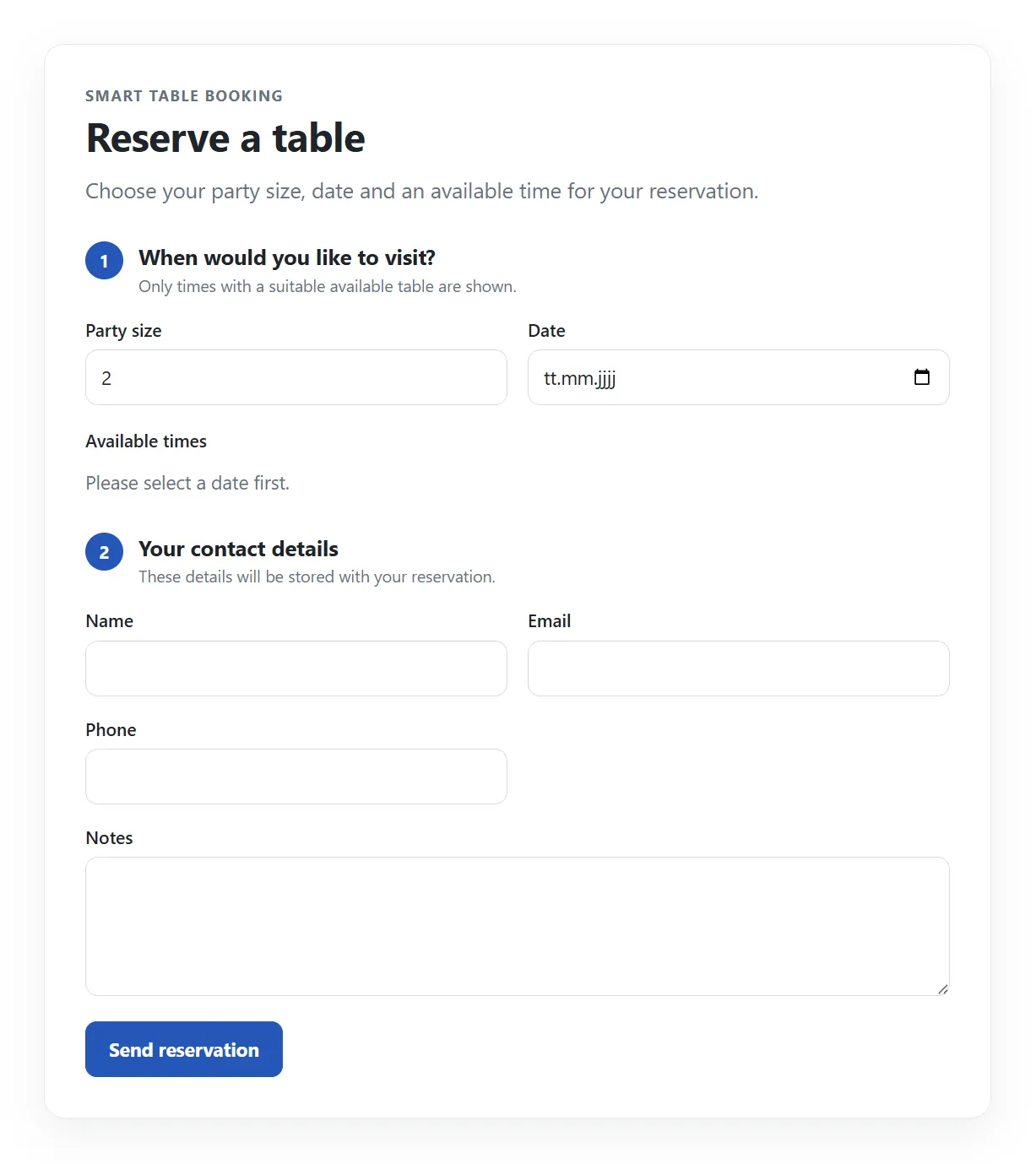
Guests book directly on your website
The reservation form is integrated directly into your Joomla website. Guests select their preferred date and time and enter their reservation details.
Smart Table Booking automatically checks your configured opening hours, available tables and additional capacity limits.
- Select date and time
- Enter number of guests
- Collect contact details
- Automatically check availability
- Store reservations directly in Joomla
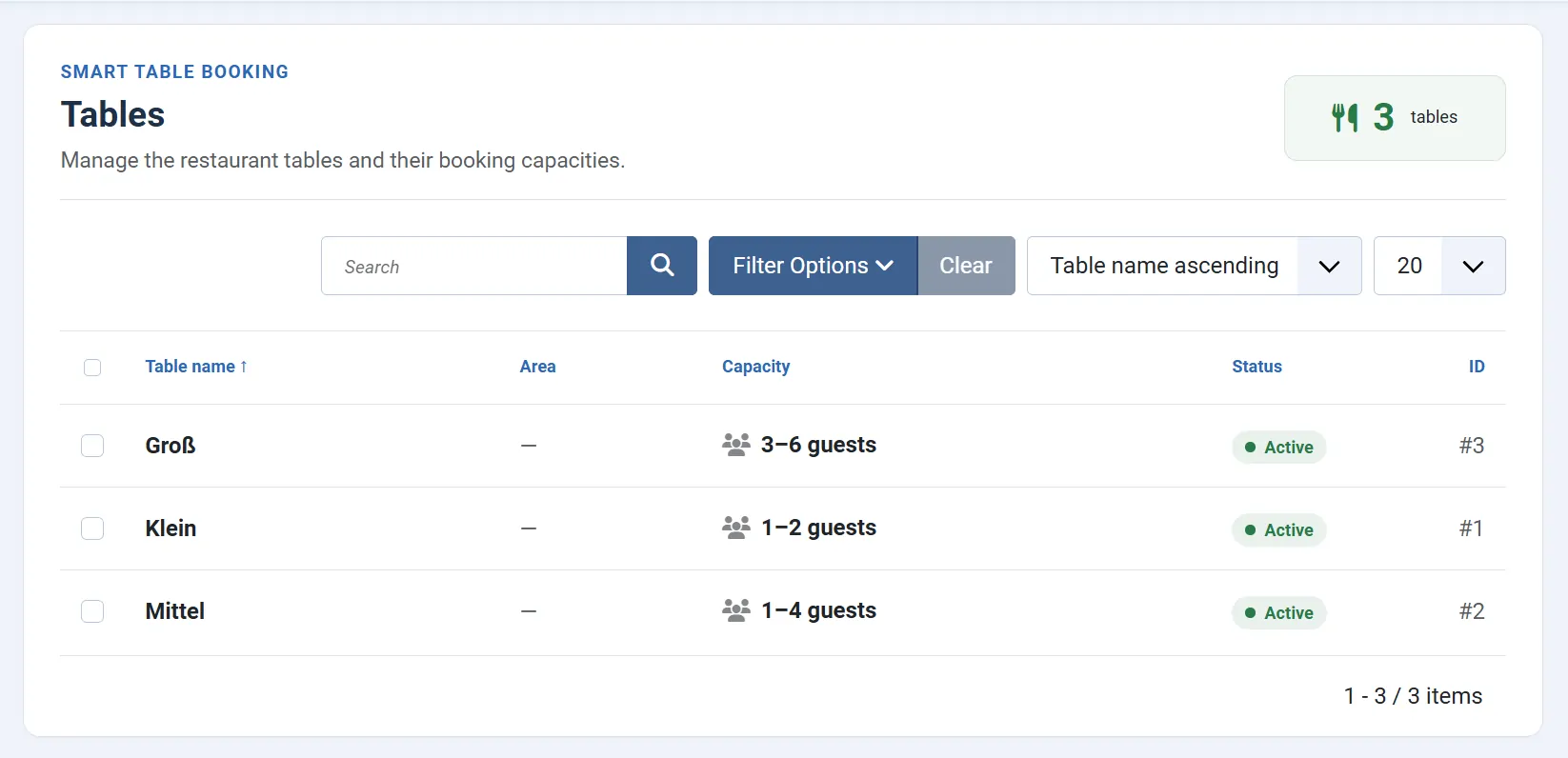
The right table is found automatically
For each table, you define how many guests it can accommodate. When a new reservation is created, Smart Table Booking automatically searches for a suitable available table.
Existing reservations and their configured stay duration are taken into account, helping to prevent the same table from being assigned more than once at the same time.
Flexible services instead of rigid daily schedules
Define exactly when reservations can be made for each day of the week.
Multiple separate time periods can be configured per day. This makes it easy to manage lunch and dinner services independently.
Opening hours extending beyond midnight are handled correctly as well. A reservation at 1:00 AM can still belong to the previous evening's service.
First reservation period of the day.
Second independent reservation period.
Times on the following calendar day remain assigned to the original service.
Handle reservations after midnight correctly
In hospitality, an evening does not necessarily end at midnight. That is why Smart Table Booking distinguishes between the actual calendar date of a reservation and its associated service day.
A reservation at 1:00 AM on Saturday can still belong to Friday evening's service. Relevant views clearly indicate this relationship.
- Service: Friday evening
- Reservation: Saturday, 1:00 AM
- Calendar date: Saturday
- Service day: Friday
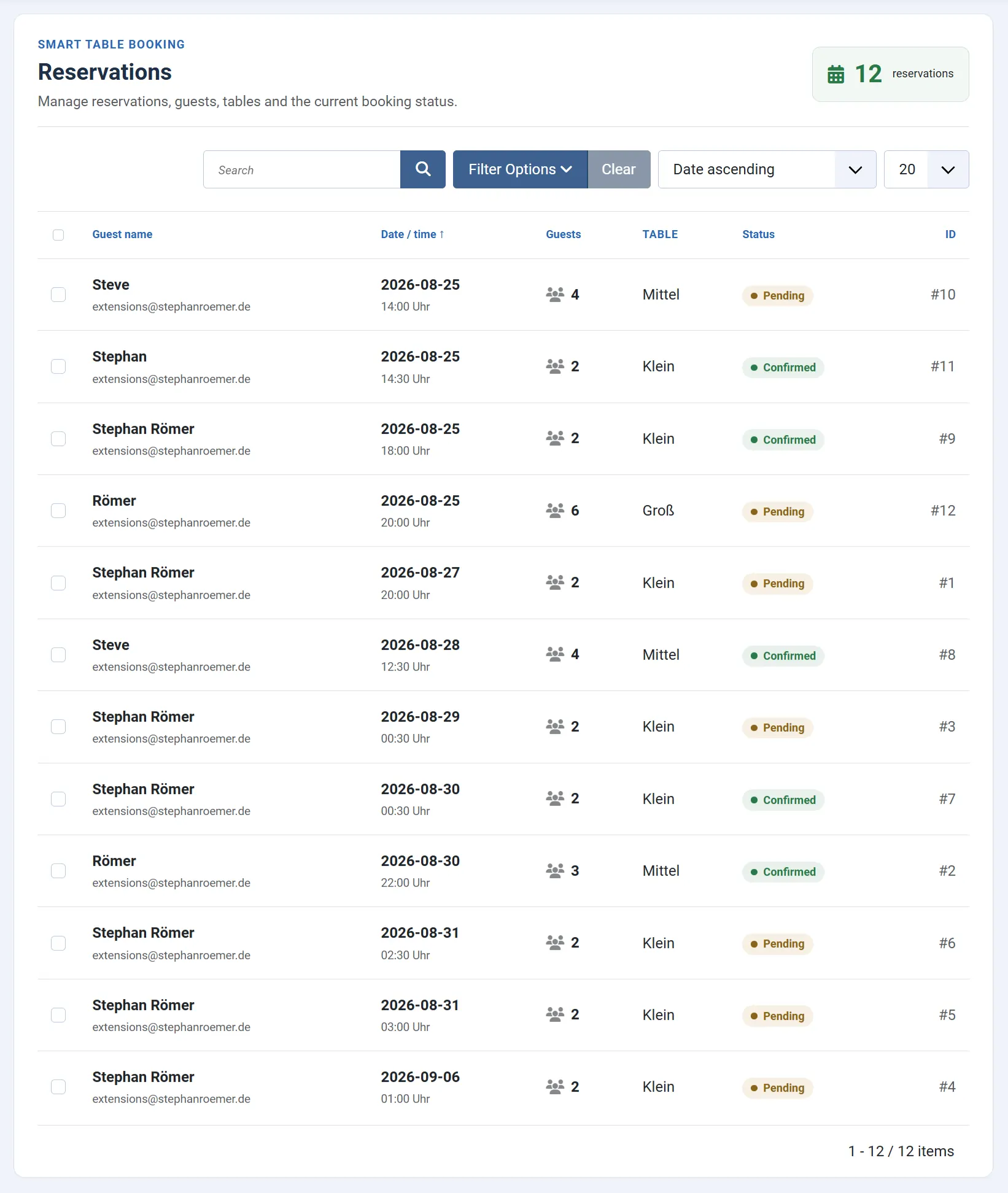
Keep all reservations in one place
The Joomla backend gives you a clear overview of all reservations. New bookings can be reviewed, edited and assigned to a table.
Date, time, number of guests and assigned table are immediately visible. Reservations after midnight also show the related service day.
- Manage reservations centrally
- Filter by date and status
- Review and change table assignment
- Check guest count and reservation details
- Identify service day for after-midnight reservations
Plan reservations by service day
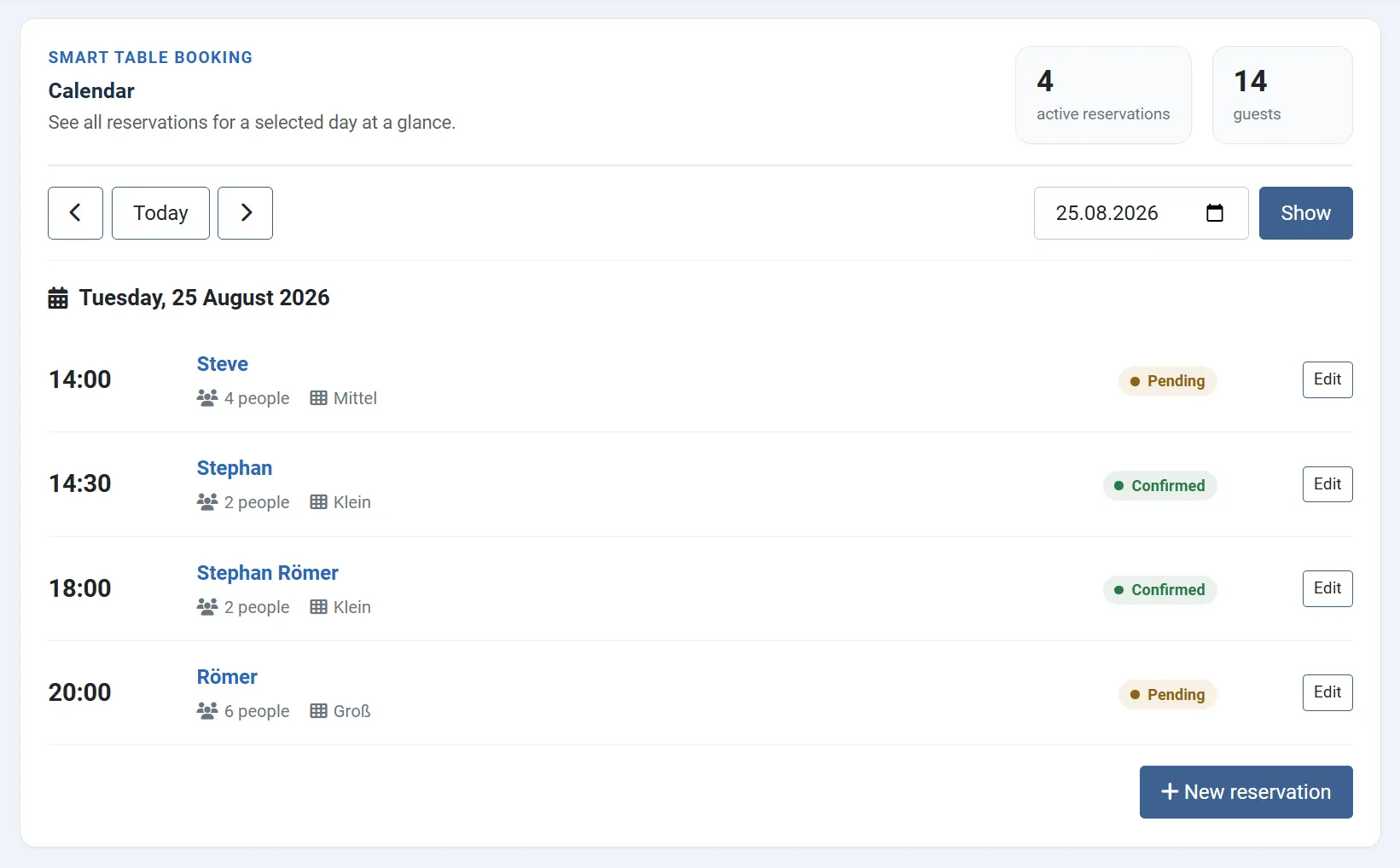
The calendar view clearly displays reservations for a selected day and also takes bookings after midnight into account.
Decide how many reservations can be accepted
In addition to actual table availability, you can define extra limits to control how many reservations can be accepted within a given period.
Table capacity
Define how many guests each table can accommodate.
Stay duration
Define how long a table remains occupied after a reservation by default.
Maximum guest count
Limit reservations based on the allowed number of guests.
Reservation limits
Limit the number of reservations within defined periods.
Double-booking protection
Tables that are already occupied are automatically taken into account when new reservations are made.
Automatic validation
Availability and capacity are checked during the booking process.
Handle holidays and exceptions flexibly
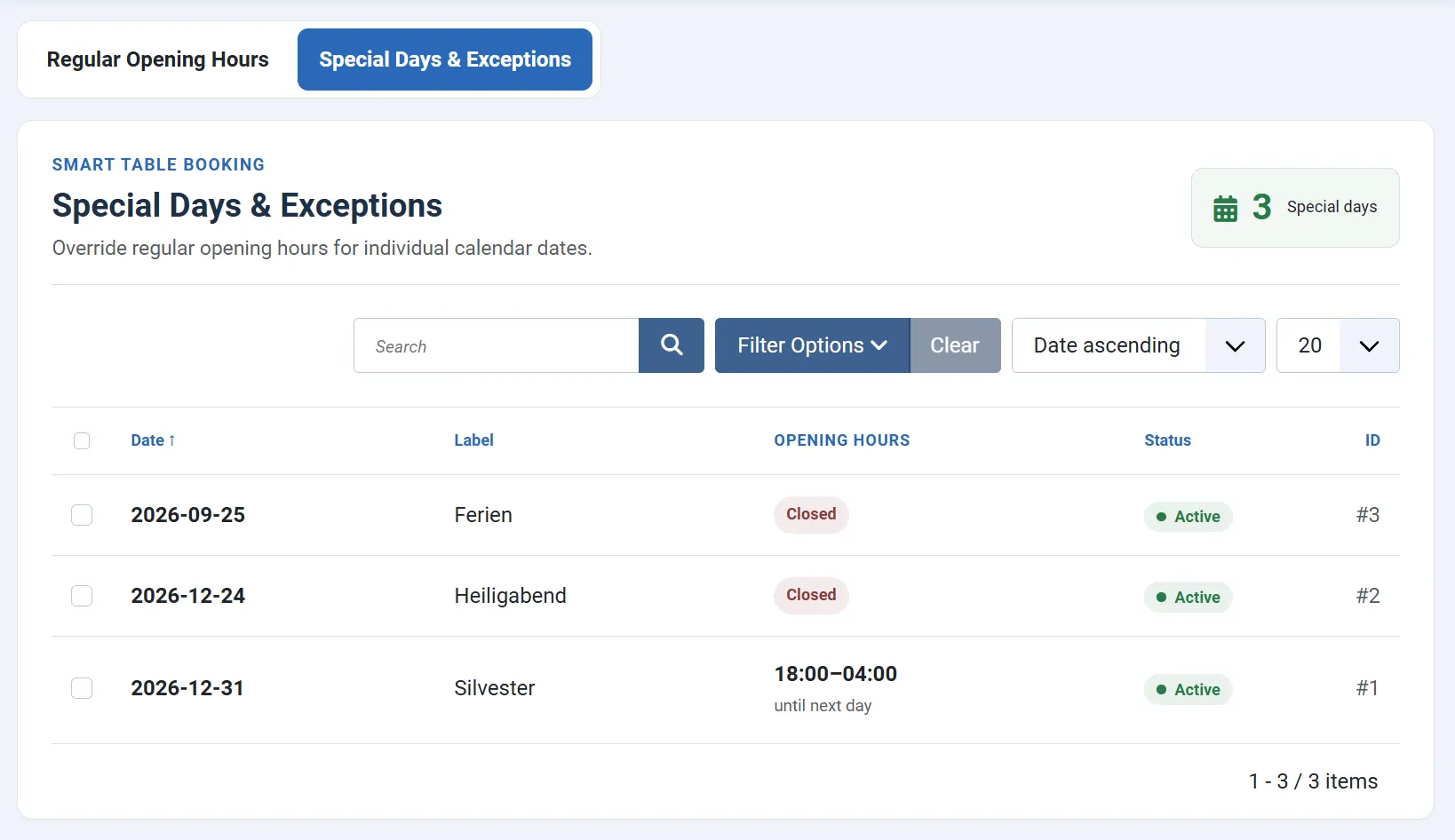
Not every day follows your normal weekly opening hours. Special days allow individual dates to be handled differently.
For example, you can configure closing days, holidays, company breaks or different opening hours for specific dates.
- Close individual dates
- Define custom opening hours
- Override regular weekly opening hours
- Automatically restrict reservations accordingly
Automatically confirm reservations
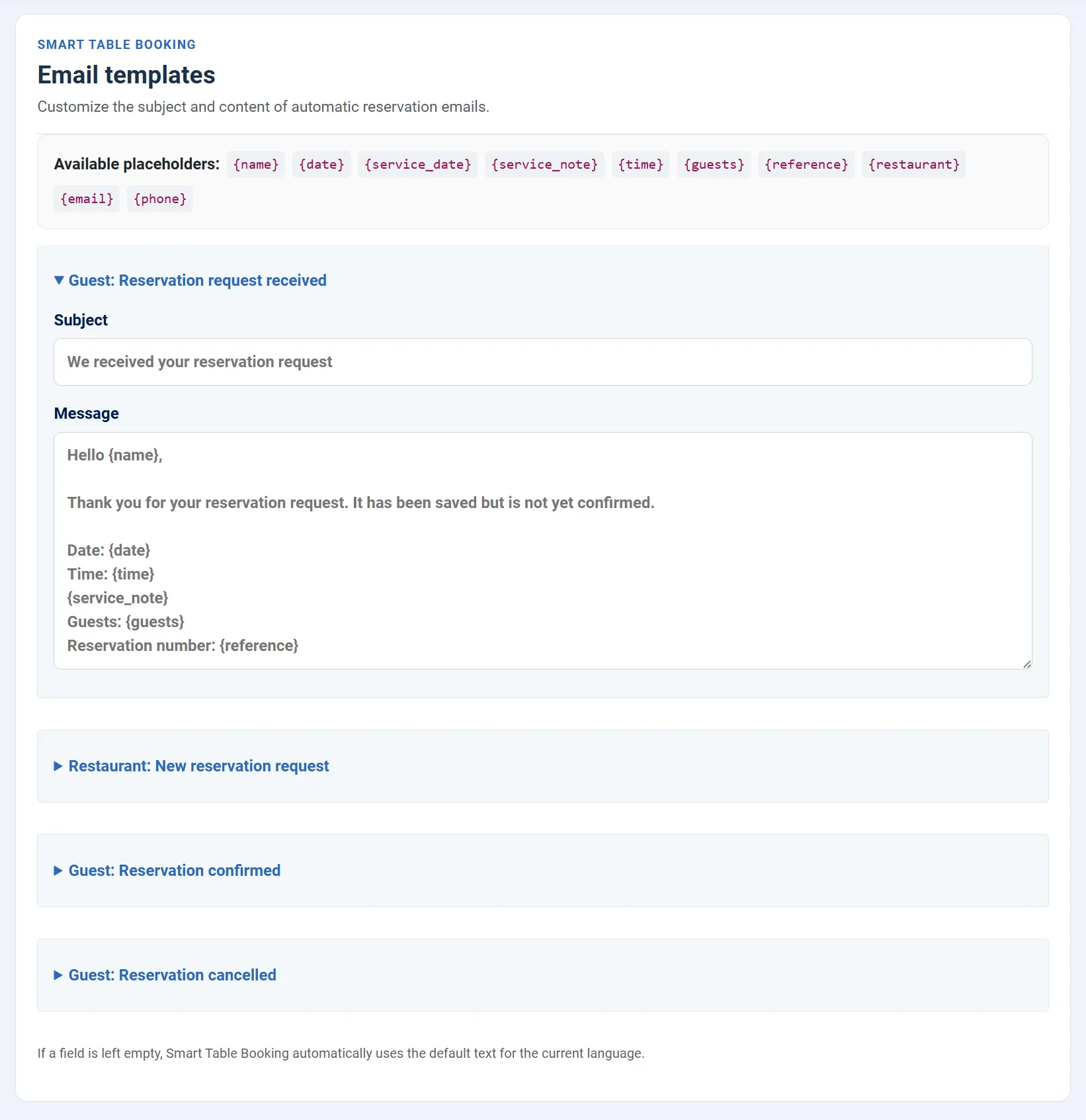
After a successful reservation, guests can automatically receive a confirmation email. The restaurant also receives the relevant reservation information.
For reservations after midnight, an additional note can indicate which service day the booking belongs to.
- Automatic reservation confirmation
- Restaurant notification
- Reservation details directly in the email
- Service-day note for after-midnight bookings
- Sent via the Joomla mailer
Everything you need for table reservations
Online reservations
Guests book directly through your Joomla website.
Automatic table assignment
Smart Table Booking automatically finds a suitable available table.
Flexible opening hours
Multiple time periods per day and opening hours extending past midnight.
Reservation calendar
Keep reservations for each service clearly organized.
Capacity management
Control table capacities, stay duration and reservation limits.
Special days
Handle holidays, closing days and custom opening hours.
Service day
Assign after-midnight reservations correctly to the previous service.
Email notifications
Automatically confirm reservations using the Joomla mailer.
Native Joomla integration
Manage reservations and settings completely inside Joomla.
System requirements
Before installing, make sure your website meets the required technical requirements.
Detailed documentation
The documentation guides you from installation and table setup to opening hours and your first online reservation.
Introductory launch price
The license includes the complete extension as well as updates and support during the license period.
Introductory price until September 30, 2026.
Regular price afterwards: €29 per year.
Included in the license
- Complete extension
- All available features
- Updates during the license period
- Support during the license period
- German and English documentation
- Use on unlimited websites according to the GPL
Questions and answers
Does Smart Table Booking work with Joomla 6?
Yes. Smart Table Booking was developed for Joomla 5 and Joomla 6.
Are tables assigned automatically?
Yes. Smart Table Booking can automatically choose a suitable available table based on the number of guests and existing reservations.
Can I configure multiple opening periods per day?
Yes. Multiple separate time periods can be configured for each day of the week, for example for lunch and dinner service.
Can opening hours extend beyond midnight?
Yes. Smart Table Booking supports opening hours extending into the following day. Reservations after midnight can still belong to the previous day's service.
What does “service day” mean?
The service day is the hospitality day a reservation belongs to. For example, a reservation at 1:00 AM on Saturday can belong to Friday evening's service even though the calendar date is already Saturday.
Can I close individual dates completely?
Yes. Special days can be used to close individual dates or apply different opening hours.
Can I limit the number of reservations?
Yes. In addition to actual table availability, reservation limits and additional capacity restrictions can be configured.
Do guests receive a reservation confirmation?
Yes. Reservation confirmations can be sent automatically using the Joomla mailer.
Do I need an external booking service?
No. Smart Table Booking runs directly inside Joomla. Reservations, tables, opening hours and settings are managed within your own Joomla installation.
Can I install Smart Table Booking on multiple websites?
Yes. Under the GPL license, Smart Table Booking may be installed on unlimited websites. Updates and support are available with an active license.
What happens when the license expires?
The installed extension can continue to be used. Updates and support, however, are only available with an active license.
Version history
Initial release.
Manage table reservations directly with Joomla
Accept reservations online, manage your tables and opening hours, and keep every service clearly organized.