



Smart Update Monitor
Automatic update monitoring for Joomla
Automatically monitor available Joomla, extension and language updates. Smart Update Monitor notifies you by email about new updates, reminds you about pending updates and documents the entire update history clearly in the Joomla administrator area.
€29 per year including updates and support
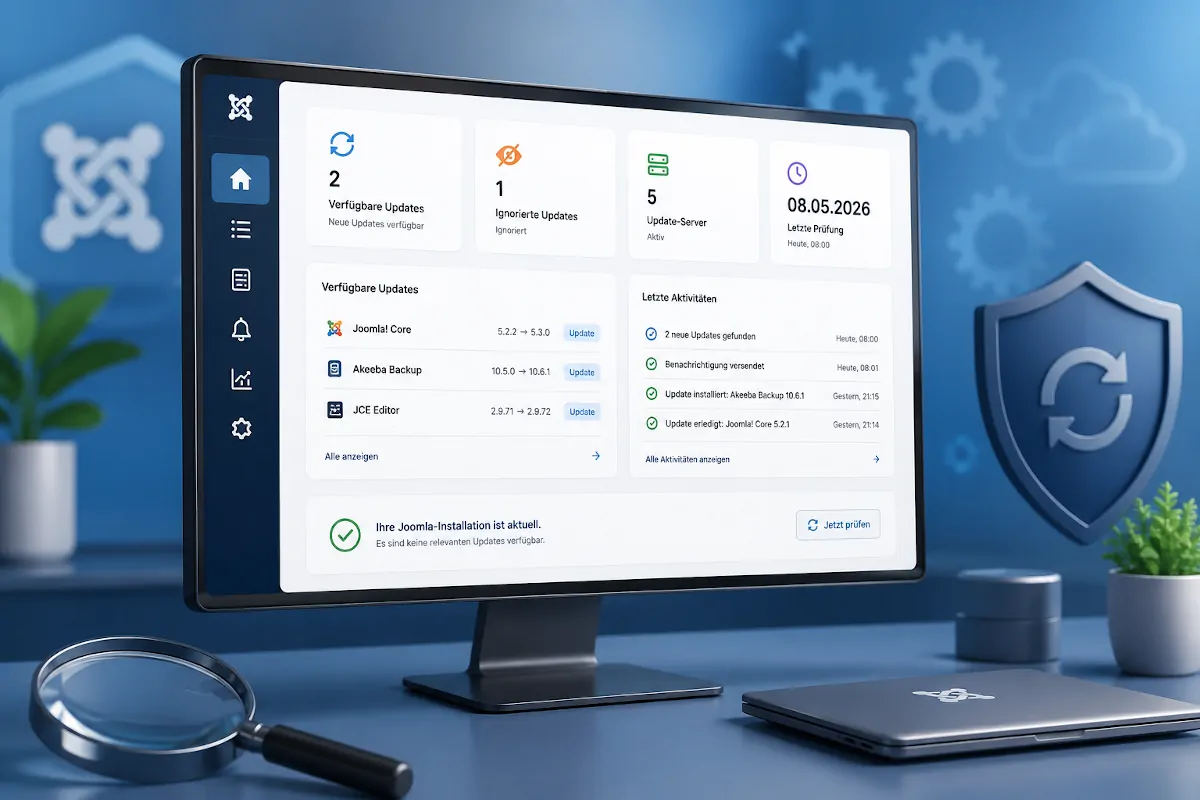
Detect important updates in time
Smart Update Monitor automatically monitors your Joomla website and informs you as soon as new updates are available.
Joomla displays available updates in the administrator area, but important updates can still be overlooked, especially on websites that are not maintained every day. This can leave known security issues unresolved for longer than necessary.
Smart Update Monitor checks the update servers registered in Joomla at regular intervals. New updates are automatically detected, stored and optionally reported by email.
Installed updates are automatically marked as resolved during the next check. This creates a transparent update history without requiring you to document every step manually.
Keep Joomla updates under control
Whether you manage a single business website, a client project or several Joomla installations, Smart Update Monitor helps ensure that available updates do not go unnoticed.
Detect new updates
Automatically check whether new versions are available for Joomla, installed extensions or language packages.
Notify administrators
Automatically send email notifications to one or more recipients as soon as new updates are detected.
Track pending updates
See how long an update has been available and whether a notification has already been sent.
Send update reminders
Receive another reminder after a configurable period if an update is still pending.
Ignore selected updates
Hide individual updates deliberately and re-enable monitoring for them at any time.
Automate update checks
Use Joomla Scheduled Tasks to run update monitoring regularly and reliably in the background.

All important information at a glance
The dashboard presents the current status of your Joomla installation clearly and without unnecessary technical detail.
You can immediately see whether updates are available, when the last check was performed and whether notifications have been sent.
- Available and ignored updates
- Active and disabled update servers
- Last check and last notification
- Current updates and recent activity

From detection to completion
Smart Update Monitor permanently stores detected updates in its own history. This allows you to see exactly when an update first became available and when it was finally installed.
A simple workflow without manual supervision
Smart Update Monitor follows every update from its first detection until it has been installed.
Each update check compares the currently available Joomla updates with the previously stored information. Newly detected updates are saved and reported automatically, while updates that are no longer available are marked as resolved.
This gives you a complete update history without requiring any manual documentation.
Joomla and extension updates are checked automatically.
New versions are stored and marked as available.
Configured recipients automatically receive an email notification.
Installed updates are detected automatically during the next check.

Stay informed automatically by email
Whenever new updates are detected, Smart Update Monitor can automatically send notification emails.
Configure one or multiple recipients and define a reminder interval for updates that remain uninstalled.
- Support for multiple recipients
- Notifications for newly detected updates
- Configurable reminder interval
- Uses the Joomla mailer
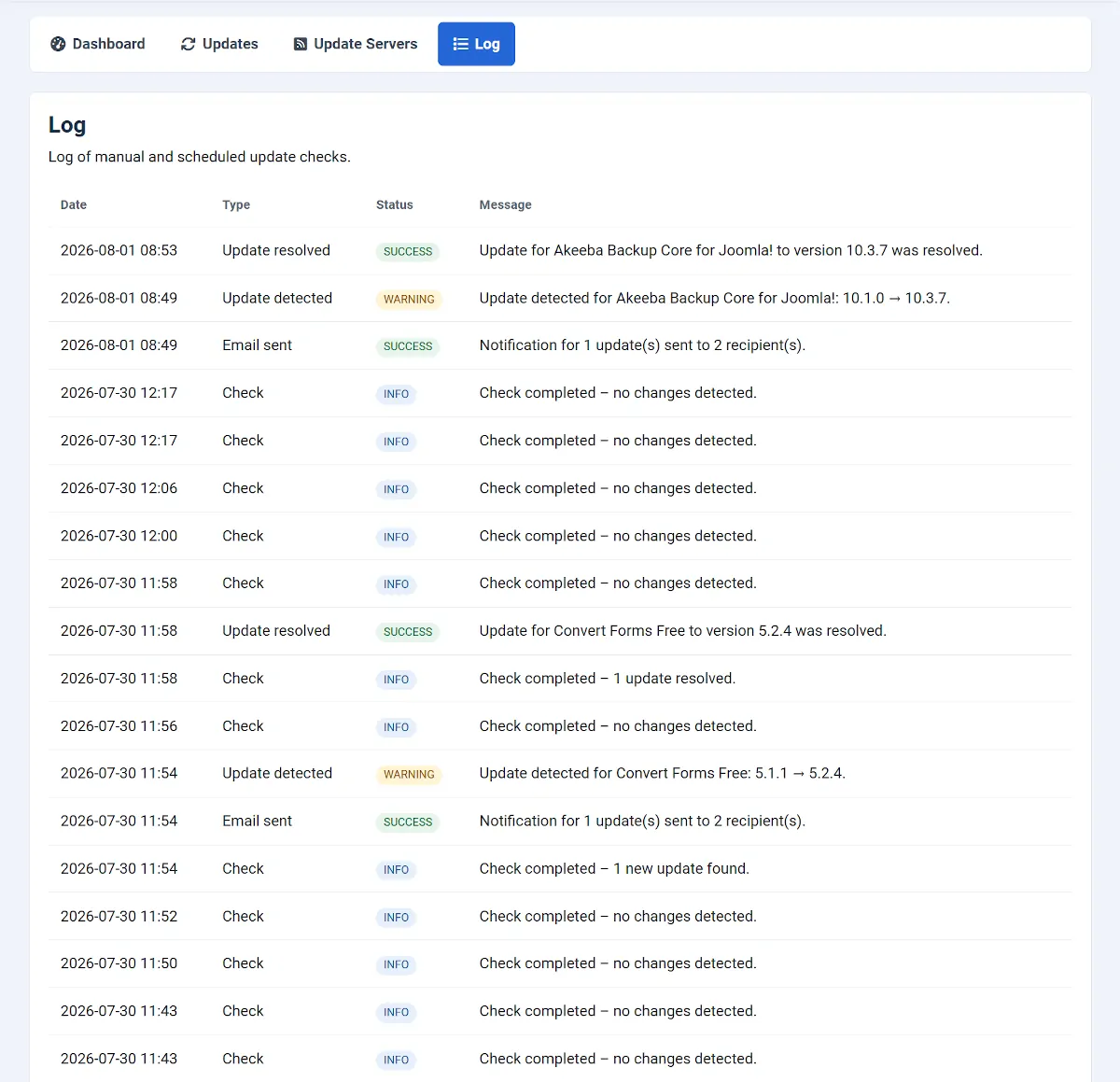
Every important event remains traceable
Smart Update Monitor records newly detected updates, resolved updates, notification emails and any errors that occur.
Automatic update checks with Joomla
Smart Update Monitor integrates directly with Joomla Scheduled Tasks. Once a task has been configured, update checks are executed automatically at the defined interval.
For the most reliable execution, a server cron job is recommended. Alternatively, Joomla's Lazy Scheduler can trigger tasks during website visits.
Run Smart Update Monitor
Keep track of registered update sources
The update server overview displays all update servers registered in Joomla together with the extensions assigned to each server.
Joomla Core
Monitor new Joomla releases through the official Joomla update server.
Extensions
Track updates for components, plugins, modules, templates and packages.
Language packs
Only updates for languages installed on your website are displayed.
Server status
Immediately see which update servers are enabled or disabled.
Assigned extensions
See which installed extensions use a specific update server.
Relevant updates only
Language updates for languages that are not installed are filtered automatically.
Everything you need in a single extension
Dashboard
Keep an eye on available updates, update servers and recent activity at all times.
Automatic checks
Use Joomla Scheduled Tasks to perform regular update checks in the background.
Email notifications
Automatically notify one or more recipients whenever new updates are detected.
Reminders
Receive reminder emails after a configurable period if updates are still pending.
Update history
Track when an update was detected, notified, ignored or finally resolved.
Activity log
Record update checks, update events, notifications and errors in one clear overview.
System requirements
Before installing Smart Update Monitor, make sure your website meets the following requirements.
Comprehensive documentation
The documentation guides you through installation, configuration and automatic execution using Joomla Scheduled Tasks.
One license. All features.
Your license includes the complete extension as well as updates and support throughout the subscription period.
Included with your license
- Complete extension
- All available features
- Updates during the subscription
- Support during the subscription
- German and English documentation
- Unlimited websites under the GPL license
Questions & Answers
Does Smart Update Monitor install updates automatically?
No. Smart Update Monitor monitors available updates and informs you about them. The installation itself remains under your control and is performed through Joomla.
Do I need a cron job?
Not necessarily. Smart Update Monitor works with Joomla Scheduled Tasks. For the most reliable execution independent of website traffic, a real cron job is recommended.
Which updates are monitored?
The extension monitors all updates detected by Joomla through the configured update servers, including Joomla Core, components, plugins, modules, templates, packages and installed language packs.
Are all language updates displayed?
No. Smart Update Monitor automatically filters language updates and only displays updates for languages that are actually installed on your website.
Can I ignore individual updates?
Yes. Individual updates can be ignored and added back to monitoring at any time.
Can I notify multiple recipients?
Yes. Notification emails can be sent to one or more configurable recipients.
Is Smart Update Monitor compatible with Joomla 6?
Yes. Smart Update Monitor has been developed for Joomla 5 and Joomla 6.
What happens if I uninstall the extension?
When Smart Update Monitor is completely uninstalled, its files and database tables are removed. This also deletes the stored update history and activity log.
Can I use the extension on multiple websites?
Yes. Under the GPL license you may install Smart Update Monitor on as many websites as you like. Updates and support are available with an active subscription.
What happens when my license expires?
The installed extension continues to work. However, updates and support are only available while your subscription is active.
Version history
New Features:
- Added detection and classification of security-related Joomla extension updates.
- Added security severity indicators (Low, Medium, High, Critical) to the dashboard, update list, and email notifications.
- Added notifications when the security severity of an existing update increases.
- Added support for security metadata provided by Joomla's update system.
Initial public release.
Never miss important Joomla updates again
Automatically monitor your Joomla website, receive email notifications about new updates and keep a complete update history at your fingertips.