



Quick User Redirect
Flexible Login Redirects for Joomla
Automatically redirect users to the right page after a successful login. Define different destinations for user groups or individual users and improve navigation and user experience throughout your Joomla website.
€29 per year including updates and premium support
Send every user to the right page after login
Quick User Redirect extends Joomla's standard login process with flexible redirects for user groups and individual users.
By default, Joomla redirects every user to the same destination after logging in. This means members, customers, employees and administrators all arrive on the same page.
Quick User Redirect allows you to define different destinations for specific user groups or, in the Pro version, for individual users.
Redirect users to an existing Joomla menu item or, with the Pro version, to a custom link.
The right destination for every Joomla user
Quick User Redirect is ideal for membership websites, online shops, intranets, learning platforms and any Joomla website with registered users.
Membership Websites
Send members directly to their dashboard or protected content after login.
Online Shops
Redirect customers straight to their account or order area after signing in.
Intranets
Guide employees to the relevant internal section based on their user group.
Learning Platforms
Take learners directly to their courses, dashboard or training area.
Free & Premium Members
Provide different landing pages for free and paid memberships.
Individual Users
Create personal login destinations for individual users with the Pro version.
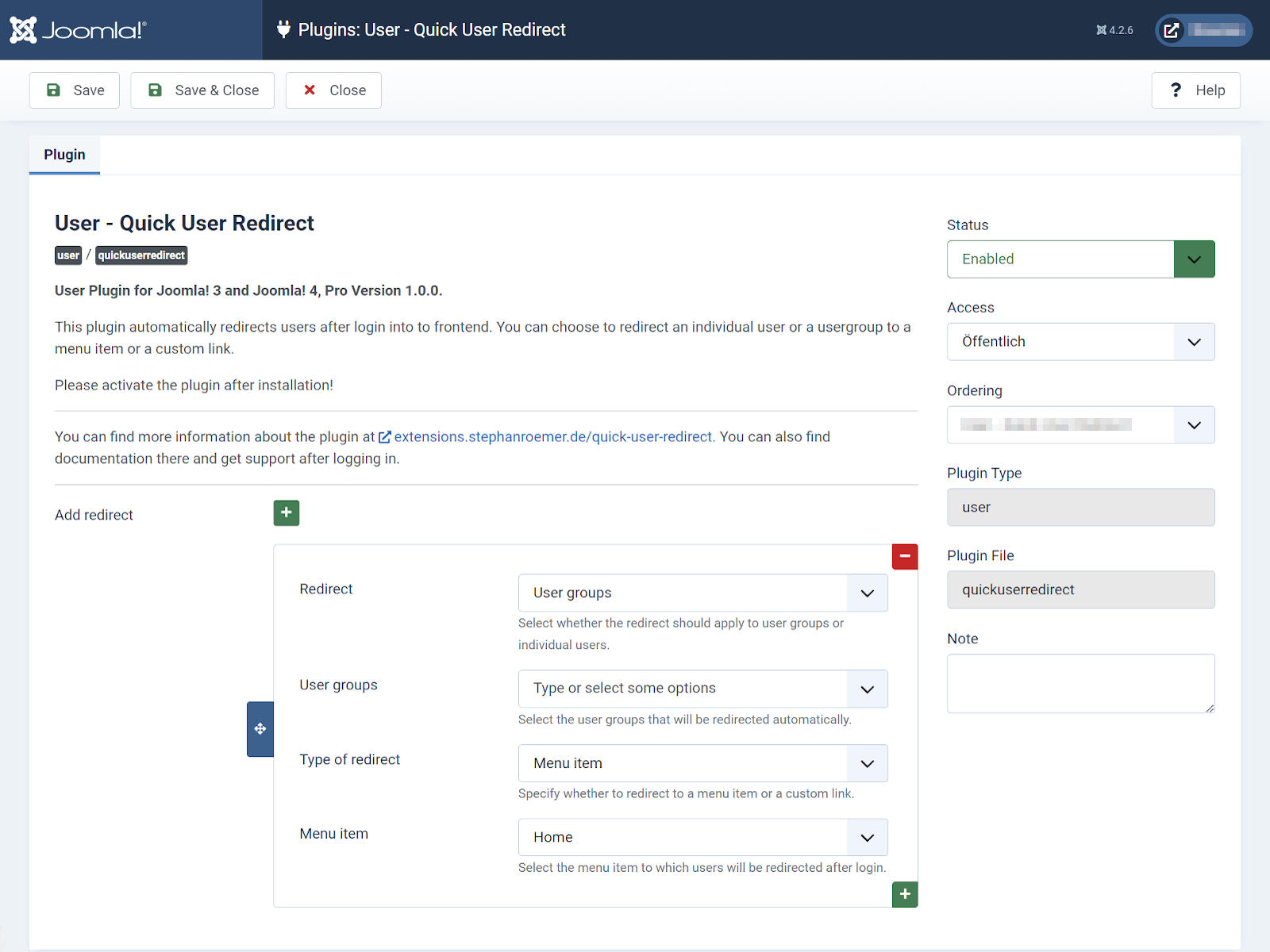
Set up redirects in just a few clicks
All settings are configured directly within the Joomla plugin. Simply click the plus button to add a new redirect.
Choose the desired user group or, in the Pro version, an individual user and define the redirect destination.
- Add new redirects using the plus button
- Select a user group or individual user
- Choose a menu item or custom link
- Enable the plugin and start using it immediately
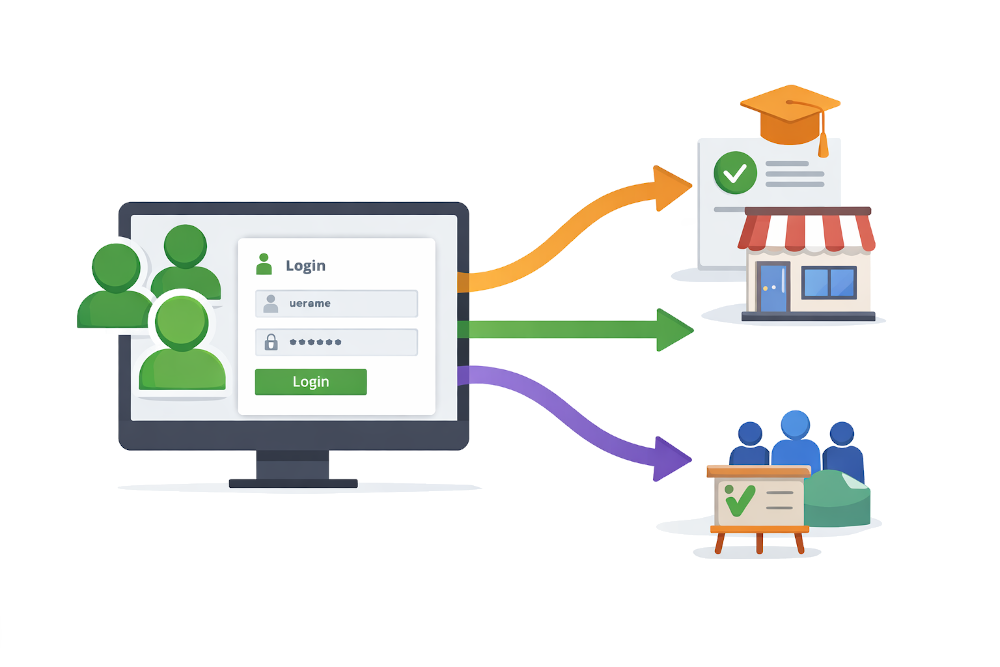
Redirect user groups or individual users
The Free version allows you to create individual login destinations for Joomla user groups.
With the Pro version, you can additionally select individual users and assign personal redirect destinations.
Use menu items or custom links
Choose the destination that best fits each redirect.
Both editions allow you to redirect users to existing Joomla menu items.
The Pro version additionally supports custom links and deep links.
Select an existing page directly from your Joomla menu structure.
Redirect users to any custom URL with the Pro version.
Redirect users directly to specific pages with the Pro version.
Redirect users after a failed login attempt
The Pro version allows you to define a general redirect destination for failed login attempts.
For example, users can be redirected to a help page, a password reset page or any page containing additional login instructions.
- Enable or disable a global failed login redirect
- Use a Joomla menu item or custom link
- Display helpful information after failed login attempts
- Included with the Pro version
Designed for a better user experience
Quick User Redirect reduces unnecessary clicks and takes users directly to the content that matters most to them.
Quick Setup
Install the plugin, enable it and configure redirects within minutes.
User Groups
Define different destinations for different Joomla user groups.
Individual Users
Create personal redirect destinations for individual users with the Pro version.
Flexible Destinations
Use Joomla menu items or custom links with the Pro version.
No Overrides Required
Works without modifying Joomla core files or template overrides.
Free Version Available
Test user group redirects free of charge before upgrading.
Everything you need for flexible login redirects
Automatic Redirects
Users are redirected automatically after a successful login.
User Groups
Create different destinations for Joomla user groups.
Individual Users
Assign personal redirect destinations with the Pro version.
Menu Items & Links
Redirect users to Joomla menu items or custom links.
Deep Links
Redirect users directly to specific pages with the Pro version.
Failed Login Redirect
Redirect users after unsuccessful login attempts with the Pro version.
System Requirements
Please ensure your website meets the following requirements before installing the extension.
Comprehensive Documentation
The documentation explains installation, configuration and setup of redirects for user groups and individual users, as well as all additional features available in the Pro version.
Choose the edition that fits your needs
Start with the Free version for user group redirects or unlock every feature with the Pro version, including updates and premium support.
All Pro features, updates and premium support for one year.
Buy Pro VersionIncluded with the Pro Version
- Redirects for user groups
- Redirects for individual users
- Menu items and custom links
- Deep link support
- Failed login redirect
- Unlimited redirects
- Updates and premium support
Free and Pro Edition Comparison
The Free version is ideal for testing and simple user group redirects. The Pro version adds advanced redirect targets and individual user rules.
Questions & Answers
What is the advantage over Joomla's built-in redirect?
By default, Joomla redirects all users to the same destination after login. Quick User Redirect allows you to define different destinations based on user groups or, with the Pro version, individual users.
Can I redirect different user groups to different pages?
Yes. Redirects for Joomla user groups are available in both the Free and Pro editions.
Can I create redirects for individual users?
Yes. Personal redirects for individual user accounts are available in the Pro version.
Which redirect targets are supported?
Both editions support Joomla menu items. The Pro version additionally supports custom links and deep links.
Can I redirect users after a failed login?
Yes. The Pro version includes a global failed login redirect. This redirect applies to all failed login attempts and cannot be assigned to individual users.
How many redirects can I create?
The Free version allows up to three redirects. The Pro version supports an unlimited number of redirects.
Is Quick User Redirect compatible with Joomla 6?
Yes. Version 2.0.0 supports Joomla 5 and Joomla 6. A legacy version remains available for older Joomla releases.
Can I continue using the Pro version after my licence expires?
Yes. The installed extension will continue to work. However, updates and premium support are only available with an active licence.
Version History
Added Joomla 6 compatibility, updated the codebase for Joomla 5 and 6, and discontinued support for Joomla 3 and Joomla 4.
Guide every user to the right destination after login
Improve your Joomla website's user experience with flexible login redirects for user groups and individual users.