



Email templates allow you to send automated notifications to users. Templates can be used by any number of rules, ensuring consistent communication.
Each template consists of a subject and the email body. Both can be customized individually and edited at any time.
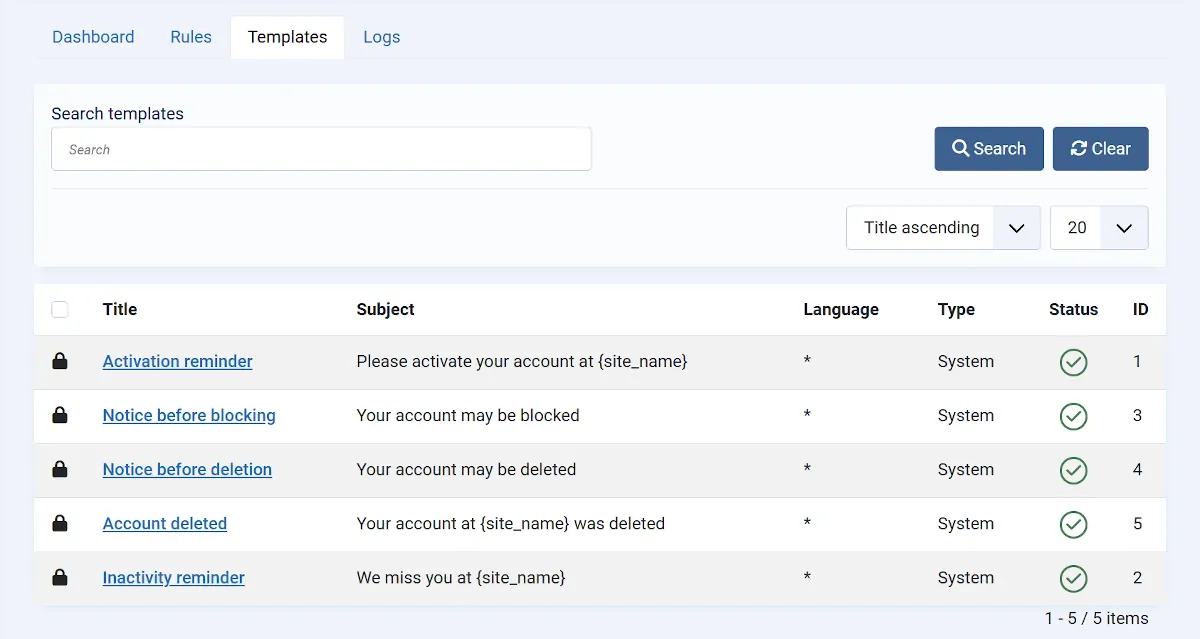
Create a New Template
To create a new email template, go to Components → Smart User Manager → Templates and click New.
Enter a meaningful title, then provide the email subject and body.
After saving, the template can be used by any number of rules.
Assign a Template to a Rule
If the Send Email action is selected for a rule, an email template must also be selected.
Without an assigned template, the rule cannot send emails.
Language Support
The default content of email templates is provided through Joomla language files.
When creating a new template, the default subject and email body are automatically filled in using the current language of the Joomla Administrator. If you later change the Administrator language, the default texts will also be displayed in that language, provided they have not been customized.
Once the subject or email body has been edited and saved, the customized content is retained and overrides the default text. If these fields are cleared again, the default texts from the currently selected language file will be used once more.
Placeholders
You can use placeholders in both the email subject and body. They are automatically replaced with the corresponding user information when the email is sent.
The available placeholders are displayed directly while editing an email template.
Tip: Test new email templates with a test rule or in Simulation Mode before using them in a production environment. This allows you to verify the content and placeholders in advance.
The following placeholders are available:
| Placeholder | Description |
|---|---|
{name} |
Full name |
{username} |
Username |
{email} |
Email address |
{register_date} |
Registration date |
{last_visit} |
Last login |
{days_since_register} |
Days since registration |
{days_since_last_visit} |
Days since last login |
{activation_link} |
Activation link |
{site_name} |
Website name |
{site_url} |
Website URL |
{rule_name} |
Rule name |