



After installing Smart User Manager and setting up the scheduled task, you are ready to create your first rule. This chapter guides you through the basic steps, from creating a rule to its first automatic execution.
Create Your First Rule
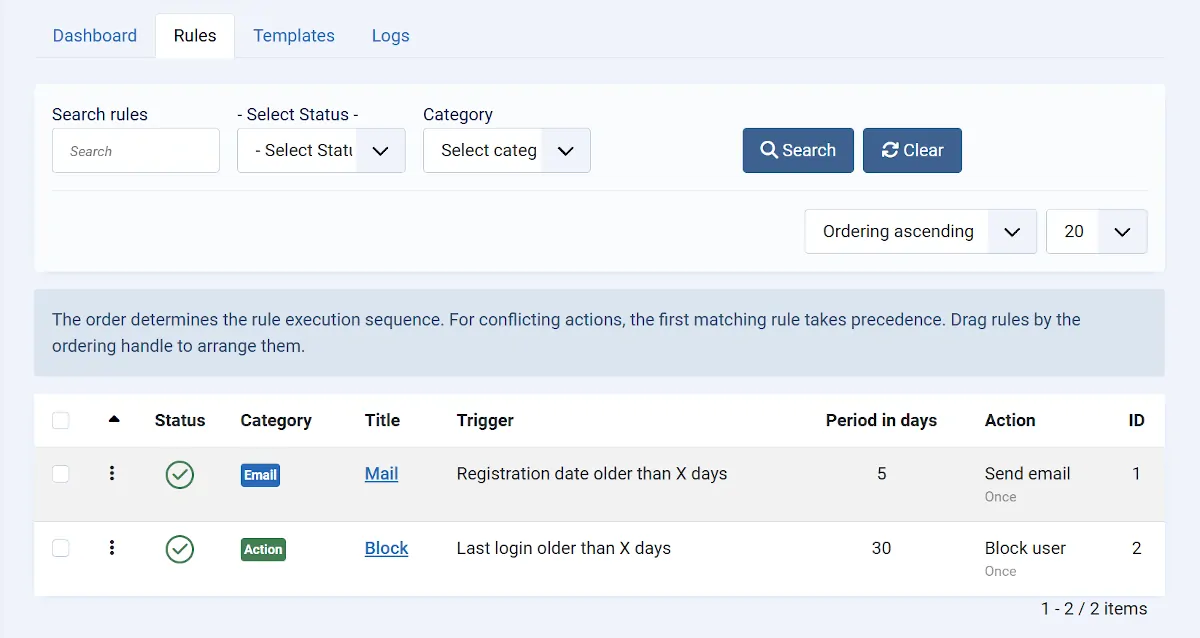
In the Joomla Administrator, go to Components → Smart User Manager, open the Rules tab, and click New to create a new rule.
First, enter a meaningful title and configure the basic settings for the rule.
Next, define the conditions that determine which users should be processed and select the action that should be performed for those users.
Finally, save the rule.
Simulation Mode
Before using a new rule in a production environment, it is recommended to test it in Simulation Mode.
When Simulation Mode is enabled, no changes are made to user accounts. Instead, all configured actions are only simulated and recorded in the log.
This allows you to verify that the rule identifies the correct users and performs the expected actions.
Tip: Always test new or modified rules in Simulation Mode before using them in a production environment.
Enable the Rule
Only published rules are considered during automatic execution.
After successfully testing your rule, publish it using the status field or from the rules list.
Unpublished rules remain saved but will not be executed.
First Execution
Once the rule has been published and a corresponding scheduled task has been configured, it will be executed automatically at the defined interval.
After each execution, you should review the log. It shows which users were processed and which actions were performed or—when using Simulation Mode—would have been performed.
Your setup is now complete, and Smart User Manager will automatically manage your users according to the rules you have defined.