



The log records every rule execution and provides a clear overview of all actions that have been performed or simulated.
Each log entry contains information about which rule was executed, which user was affected, and the outcome of the processing.
This makes it easy to track when a rule was executed and what effect it had.
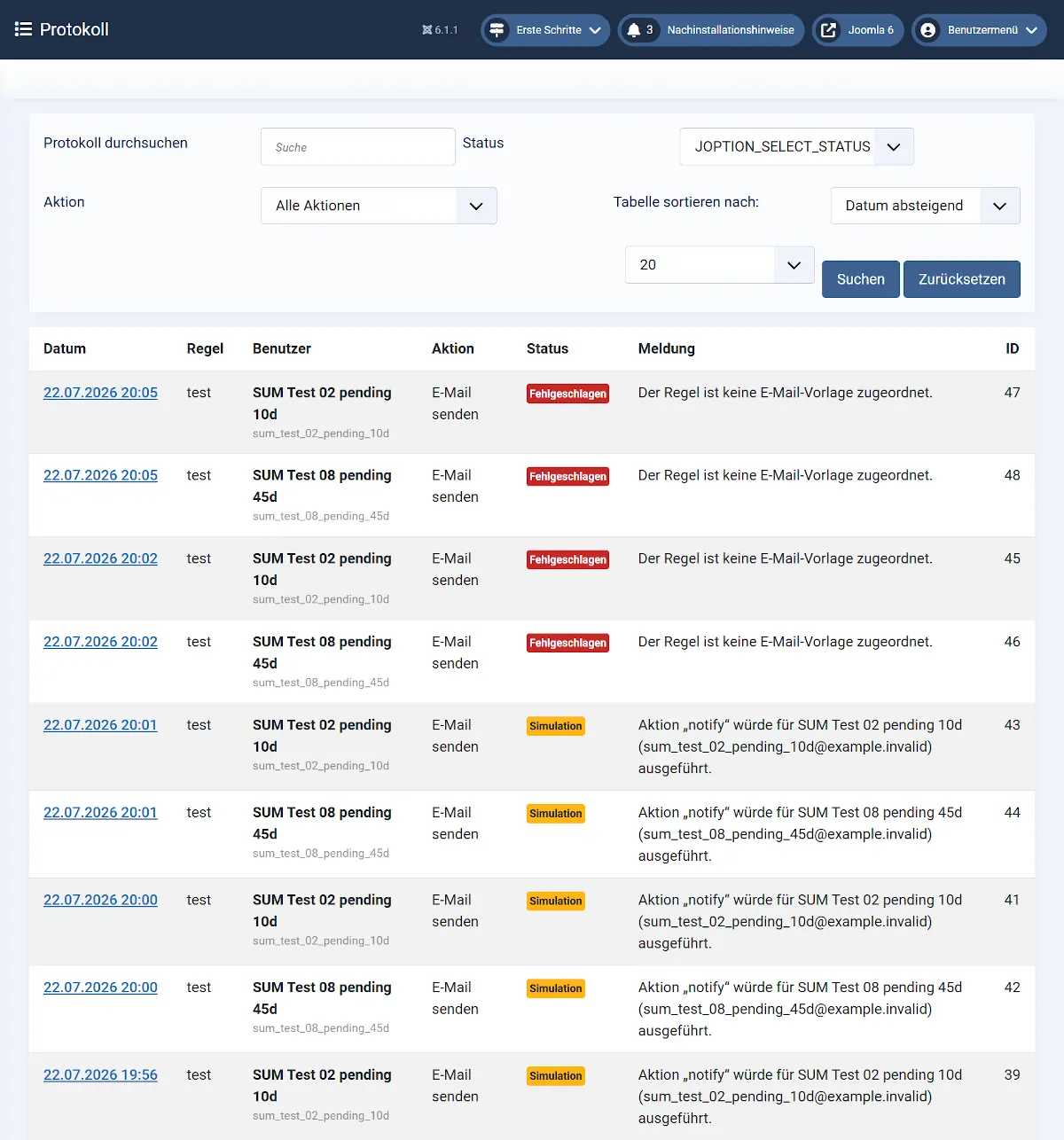
Log Entries
A separate log entry is created for each processed user.
Depending on the execution, the following information is recorded:
- Date and time of execution
- Name of the executed rule
- Affected user
- Executed action
- Processing result
- Additional notes or error messages
Simulation Mode
Log entries are also created when a rule is executed in Simulation Mode.
However, no changes are made to user accounts. Instead, the log shows which actions would have been performed during a normal execution.
Simulation Mode is ideal for testing new or modified rules before using them in a production environment.
Delete Log Entries
Log entries that are no longer needed can be deleted at any time.
Deleting log entries has no effect on rules, user accounts, or email templates.
Tip: Review the log regularly, especially after modifying existing rules or creating new ones. This helps ensure that your user management is working as expected.